Dear Resident,
If an OutHouse / Servant Quarter is linked to your account,
please follow the steps below to update your
Servant's Profile.
1
Login as Resident
First, login to the Atithi portal using the
mobile number registered with e-Awas.
2
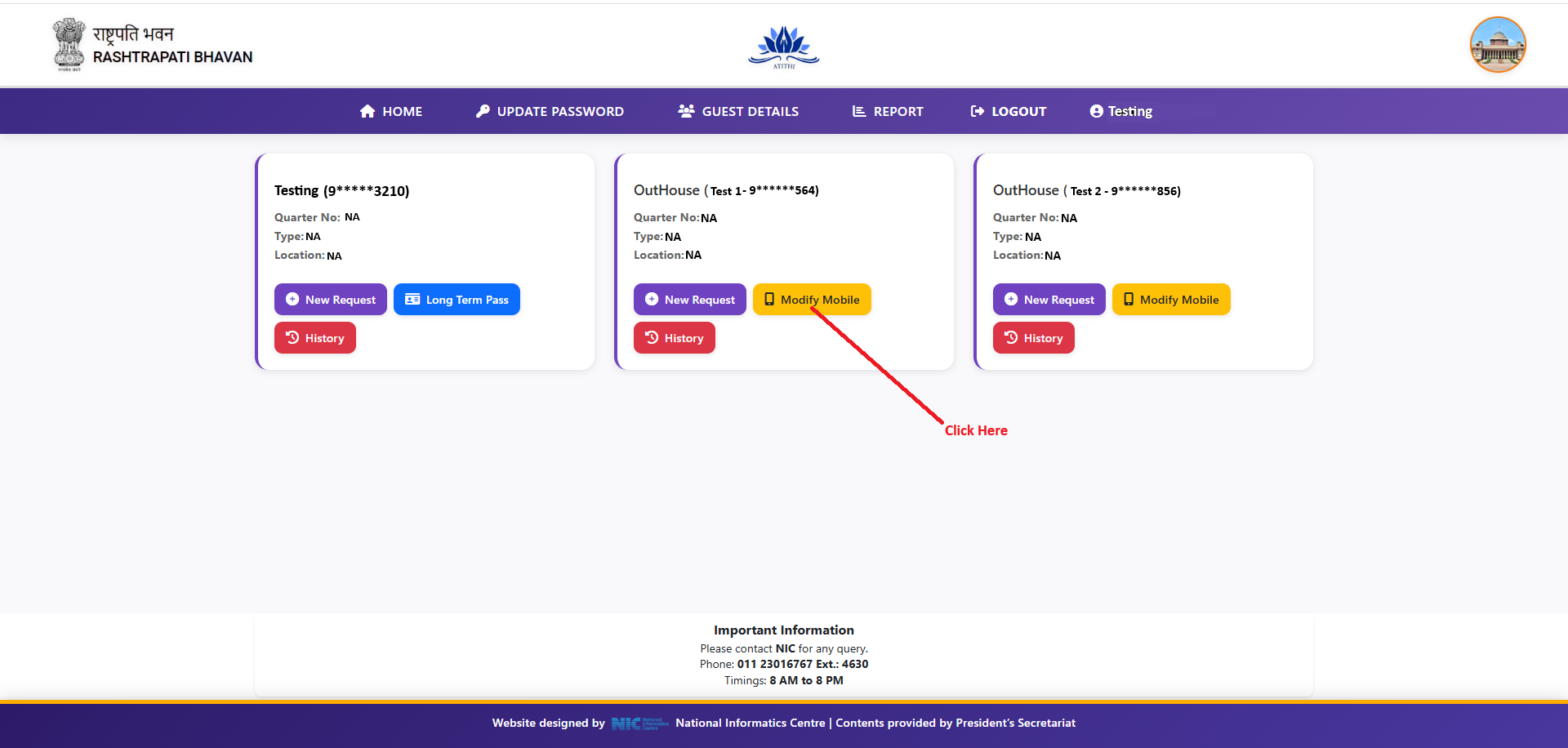
View Your Profile and Linked OutHouse(s)
After login, the Dashboard will show your own
Resident profile card along with a separate
card for each OutHouse / Servant Quarter that
is linked with your account.
Modify Mobile:
On the relevant OutHouse / Servant Quarter card,
click the
Modify Mobile
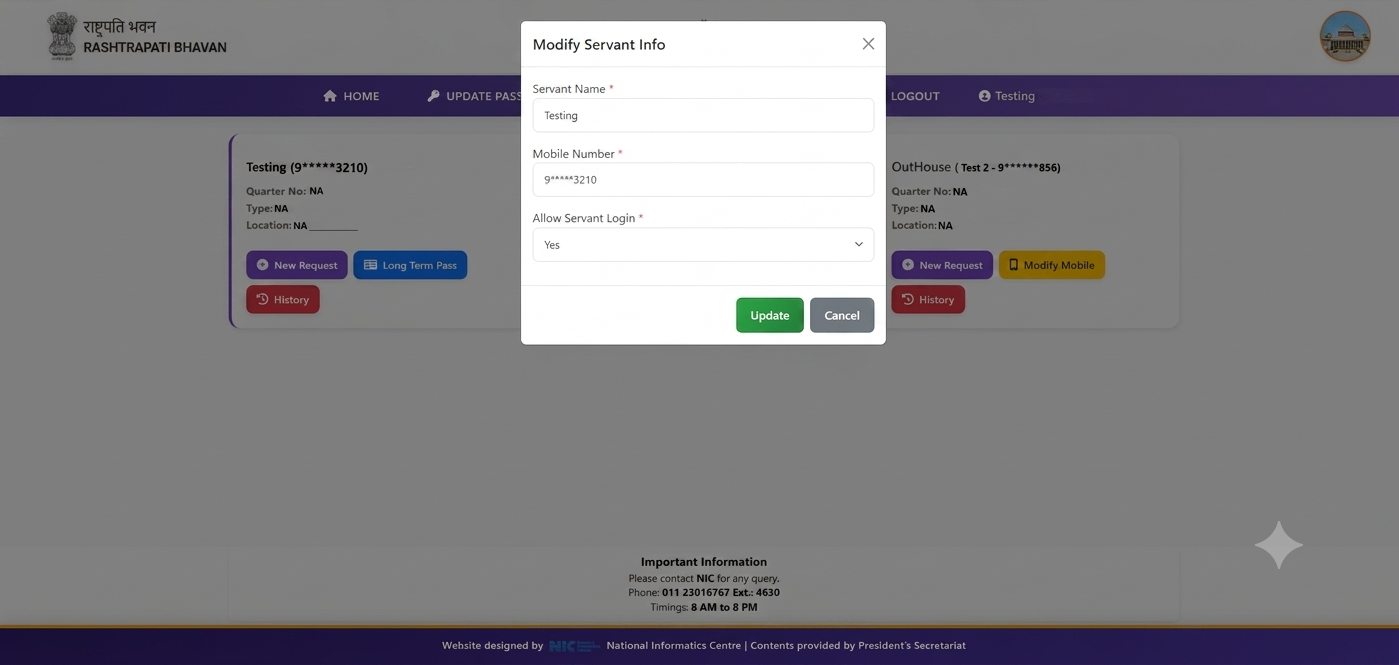
button. A
Modify Servant Info
popup will open, where you can update the following
details for your servant:
- Servant Name
- Mobile Number
- Allow Servant Login (Yes / No)
Once the details are filled in, click
Update
to save the changes.